*Note: Follow Instructions Below - You Will Not Use the App Stores
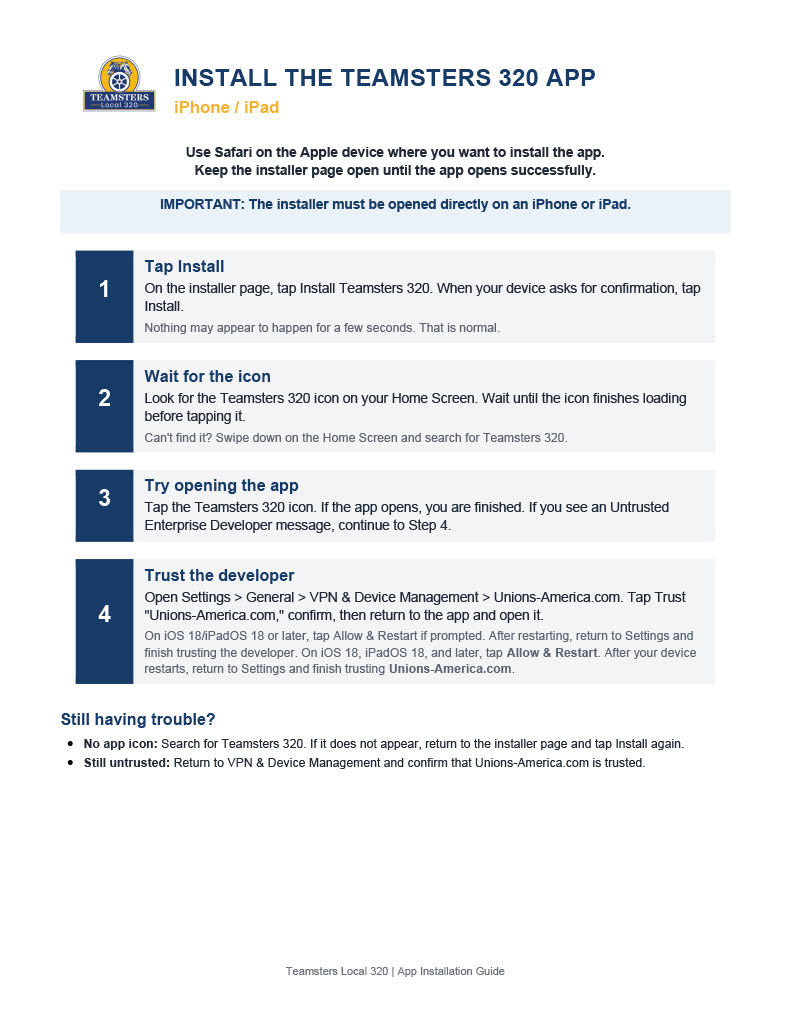
Apple Devices
Still having trouble?
Swipe down on your Home Screen and search for Teamsters 320. If it does not appear, return to Step 1 and tap Install again.
Go back to Settings > General > VPN & Device Management and confirm that Unions-America.com is trusted.
On iOS 18, iPadOS 18, and later, tap Allow & Restart. After your device restarts, return to Settings and finish trusting Unions-America.com.
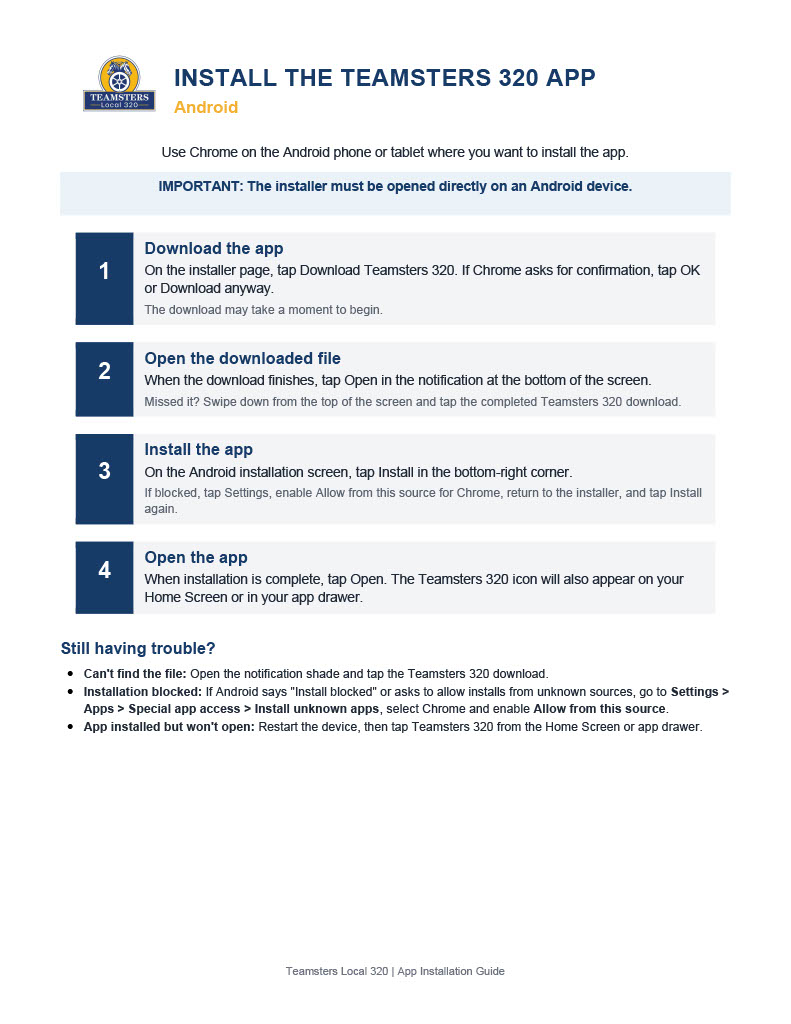
Android Devices
Still having trouble?
Swipe down from the top of your screen to open the notification shade. Look for the Teamsters 320 download under your notifications and tap it to open the file.
Go to Settings > Apps > Special app access > Install unknown apps, find your browser (e.g. Chrome), and enable Allow from this source. Then return and try installing again.
Try restarting your device, then tap the Teamsters 320 icon from your home screen or app drawer.